
Asteria doesn’t just show you the night sky – it tells you when to look. A free stargazing assistant and planetarium in your browser, built to help you get the most out of every clear night.
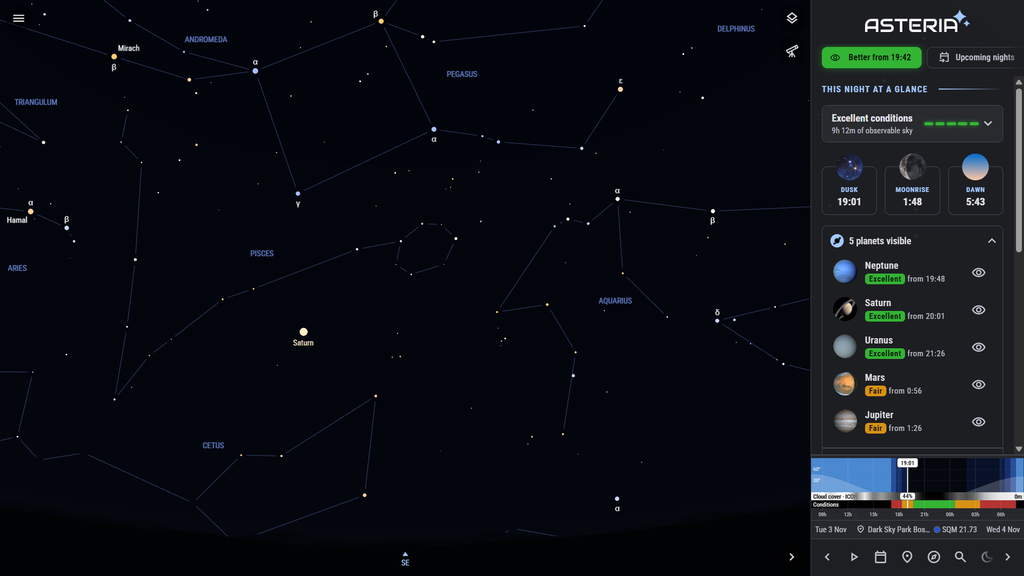
Most astronomy apps show you where an object is. Asteria answers the question that matters at the eyepiece: when is it actually worth observing? It combines darkness, moonlight, the object’s altitude and the cloud forecast into clear advice for your location – for tonight, the nights ahead and every celestial event.
What makes Asteria different
Know exactly when to look
Asteria doesn’t just show where an object is, it tells you when it’s worth observing. For every object it calculates the night’s best observing windows from twilight, moonlight, the object’s altitude and the cloud forecast. So the answer is “from 22:40 until 01:15”, not just “it’s above the horizon.”
Find the best night, not just tonight
Not good tonight? Asteria scans the nights ahead and shows when your object has its best chance, each night with a compact visibility bar. Plan your session weeks in advance.
A celestial events calendar built around your location
Over a thousand events: close approaches of the Moon and planets, meteor-shower peaks, solar and lunar eclipses, and more. Every event is rated for where you are, and one switch hides everything you won’t actually be able to see. Eclipses are calculated for your exact spot, with local contact times.
Try it: see the conjunction of the Moon and Jupiter on 23 January 2027, the total solar eclipse of 2 August 2027 and the Perseids peak of 2027.
An observing planner that builds your night for you
Choose a theme, “Best of tonight”, “Messier marathon” or “Unaided universe”, and Asteria lists the best targets, ordered by when they’re best placed. Then take the guided tour: chart and clock move together to each object at its best moment. Export the list to SkySafari for use at the telescope.
Cloud forecasts from multiple weather models
Weather models often disagree, so Asteria shows them side by side. The cloud forecast is built into every night’s timeline, and tonight’s detailed forecast compares ECMWF, ICON and GFS, with their average, a best and worst case, and how uncertain the forecast is. Temperature, dew point, dew risk and visibility sit on the same timeline as twilight and moonlight.
Light pollution for any location
See how dark the sky really is anywhere: the sky brightness (SQM) calculated from recent satellite data, Bortle class and light-pollution zone. Compare sites before you drive out, and save your favorite dark-sky spots.
One clear rating per night
Darkness, Moon and clouds combine into a single rating, from Excellent to Poor, for the night as a whole, or for a specific object or event. It answers “should I set up tonight?” at a glance.
Try it: explore the Orion constellation, see the night sky of Christmas eve 2027 or find out what stars are visible from Exmoor’s Dark Sky Reserve.
Why you can rely on Asteria
Works on every device, nothing to install
Asteria runs in your web browser on phones, tablets and laptops, on every major browser and operating system. Want it on your home screen? Choose “Add to home screen” or “Install app” in your browser menu, and it opens like any other app.
Free, without strings
Asteria is free to use, with no account required. A free account is optional to sync your equipment and favourite observing locations across your devices.
Built on serious data
The advice is only as good as the data behind it. Asteria uses cloud forecasts from the ECMWF, ICON, GFS and regional weather models, measured sky brightness from darkskysites.com, eclipse predictions by Fred Espenak (NASA GSFC), and current orbital elements for comets from the Minor Planet Center.
Made under dark Wadden Sea skies
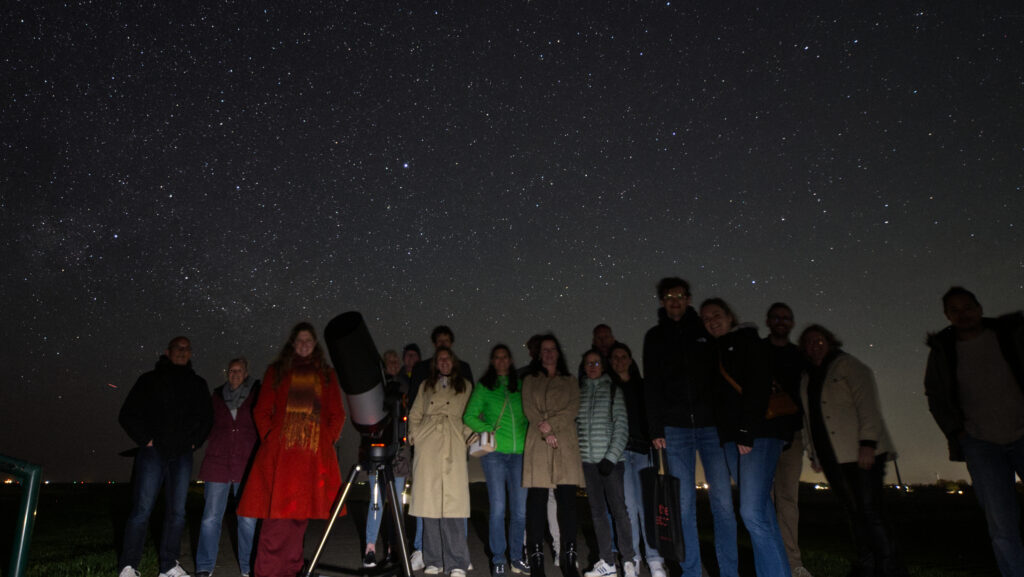
Asteria is made by Waddensky Astronomy, an organisation of stargazing guides in the Dutch Wadden Sea region. As an advocate for dark skies with DarkSky International, we built the app we always wanted at the telescope: one that tells you not just what’s up, but when it’s worth going out.
Frequently asked questions
Is Asteria really free? Yes. Asteria is free to use, without ads, and you don’t need an account. An optional free account syncs your equipment and favourite observing locations between devices.
Does it work on iPhone and Android? Yes. Asteria runs in any modern browser on iOS, Android, Windows, macOS and Linux. Add it to your home screen to open it like an app. Compass mode needs a phone or tablet with motion sensors.
Does it work offline? Once you’ve opened Asteria, the sky chart keeps working without a connection, handy at a dark site. Weather forecasts, light-pollution data and location search need internet.
How accurate is the cloud forecast? No cloud forecast is perfect, which is why Asteria shows several weather models side by side, plus a best and worst case and how uncertain the forecast is. When the models agree, you can plan with confidence.
Can I use Asteria with my telescope? Yes. Add your telescopes and eyepieces to see their true field of view on the chart, and export your observing list to SkySafari to use at the telescope.
Where do I start? Open Asteria and look at tonight’s conditions rating, then try the observing planner’s “Best of tonight” for a ready-made list of targets.
Screenshots


Asteria is created for the love of the night sky, by Waddensky Astronomy